6-58
User
Guide
for
the
Cisco
Application
Networking
Manager
5.2
OL-26572-01
Chapte
r
6
Configuring
Virtual
Contexts
Using
the
Configuration
Checkpoint
and
Rollback
Service
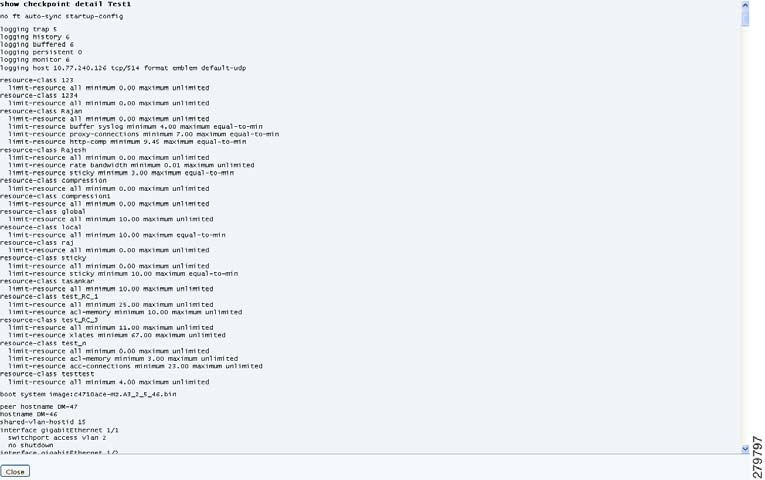
Figure
6-1
show
checkpoint
detail
CLI
Command
Dialog
Box
Step
3
From
the
popup
window,
cl
ick
Close
to
exit
the
window
and
return
to
the
Checkpoints
table.
Related
Topics
•
Using
the
Configuration
Checkpoint
and
Rollback
Service,
page
6-54
•
Creating
a
Configuration
Checkpoint,
page
6-55
•
Deleting
a
Configuration
Checkpoint,
page
6-56
•
Rolling
Back
a
Running
Configuration,
page
6-56
•
Comparing
a
Checkpoint
to
the
Running
Configuration,
page
6-58
Comparing
a
Checkpoint
to
the
Running
Configuration
Note
This
feature
requires
ACE
module
and
ACE
appliance
software
Version
A4(1.0)
or
later.
You
can
have
ANM
compare
and
display
the
differences
between
a
specified
checkpoint
and
the
ACE’s
current
running
configuration.
Procedure
Step
1
Choose
Config
>
Devices
>
context
>
System
>
Checkpoints
.
The
Checkpoints
table
ap
pears.
Step
2
In
the
Checkpoints
table,
choose
the
radio
button
of
t
he
checkpoint
that
you
want
to
compare
t
o
the
current
running
configuration,
and
cl
ick
Compare
.