1-17
User
Guide
for
the
Cisco
Application
Networking
Manager
5.2
OL-26572-01
Chapte
r
1
Overview
ANM
Interface
Components
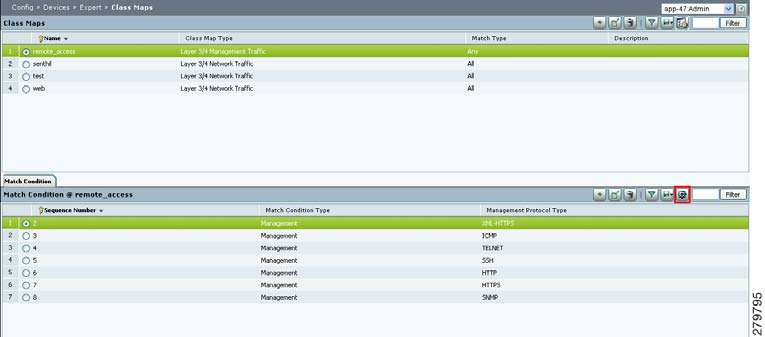
Figure
1-5
Advanced
Editing
Enabled
Window
Related
Topics
•
ANM
Int
erface
Components,
page
1-8
•
Filtering
Entries,
page
1-14
•
Customizing
Tables,
page
1-15
ANM
Screen
Conventions
Ta
b
l
e
1-5
describes
ot
her
conventions
used
in
ANM
scr
eens.
Related
Topics
•
Table
Conventions,
page
1-14
Ta
b
l
e
1-5
ANM
Window
Conventions
Convention
Example
Description
Dimmed
field
If
no
items
ar
e
selected,
buttons
are
di
mmed.
If
an
item
is
selected,
only
operational
buttons
appear.
Red
asterisk
A
red
asterisk
indicates
a
required
field.
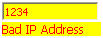
Yellow
field
with
red
font
Incorrect,
invalid,
or
incomplete
entries
appear
as
red
font
against
a
yellow
background
with
the
reason
for
that
error.
In
the
example,
an
IP
address
cannot
begin
with
four
digits,
which
results
in
this
display.
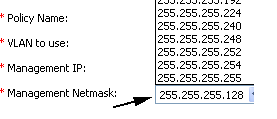
Drop-down
lists
When
there
are
more
than
three
choices
for
any
field,
the
field
displays
as
a
drop-down
list.
Otherwise,
selections
display
with
radio
buttons.